Add a Custom Liquid section
It is on the plugin page in your dashboard. Paste it here and every code example on this page carries it.
The plugin page is also where you list the web addresses your form is allowed to appear on, and it will not appear anywhere you have not listed. The overview walks through getting a key.
This is the code. Replace vrfp_embed_your_key_here with the key from your dashboard. That is the only edit it needs.
<div data-vendorfp-proposal-form data-key="vrfp_embed_your_key_here"><a href="https://hoacrew.com/embed/w/vrfp_embed_your_key_here">Request a proposal</a></div>
<script src="https://hoacrew.com/embed/v1.js" async></script>
Two lines: where the form goes, and the script that loads it. The link inside the first line is a plain fallback for a visitor whose script never runs, cleared the moment it does. Its wording — Request a proposal — is yours to change; nothing else is affected.
Open the theme customizer
In your Shopify admin, go to Online Store → Themes and press Customize on your live theme.
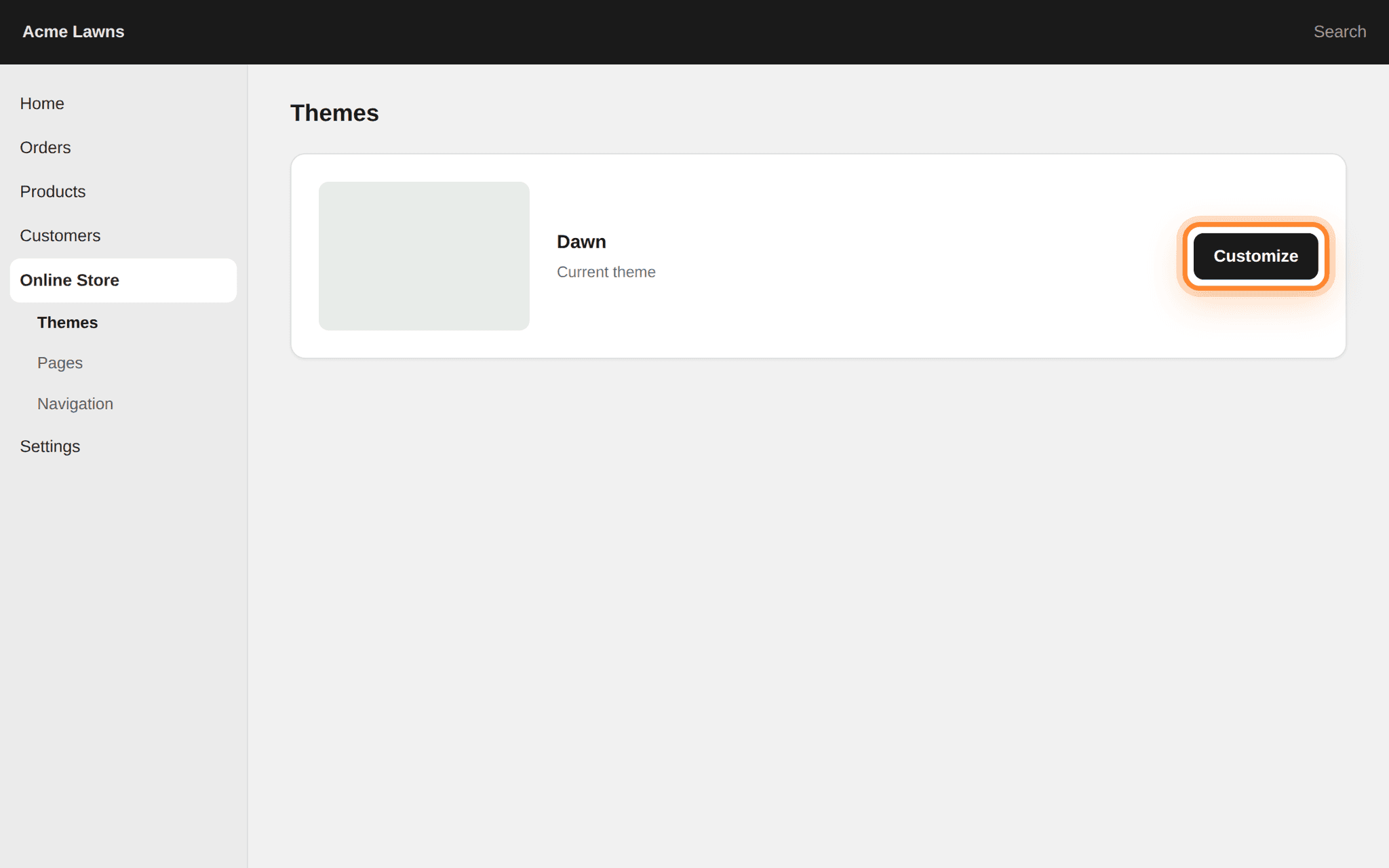
Customize is on the card for your current theme, at its right-hand end. Switch to the page you want
Use the page selector along the top to move off the home page and onto the page the form belongs on, such as a Contact or Services page, usually under Pages.
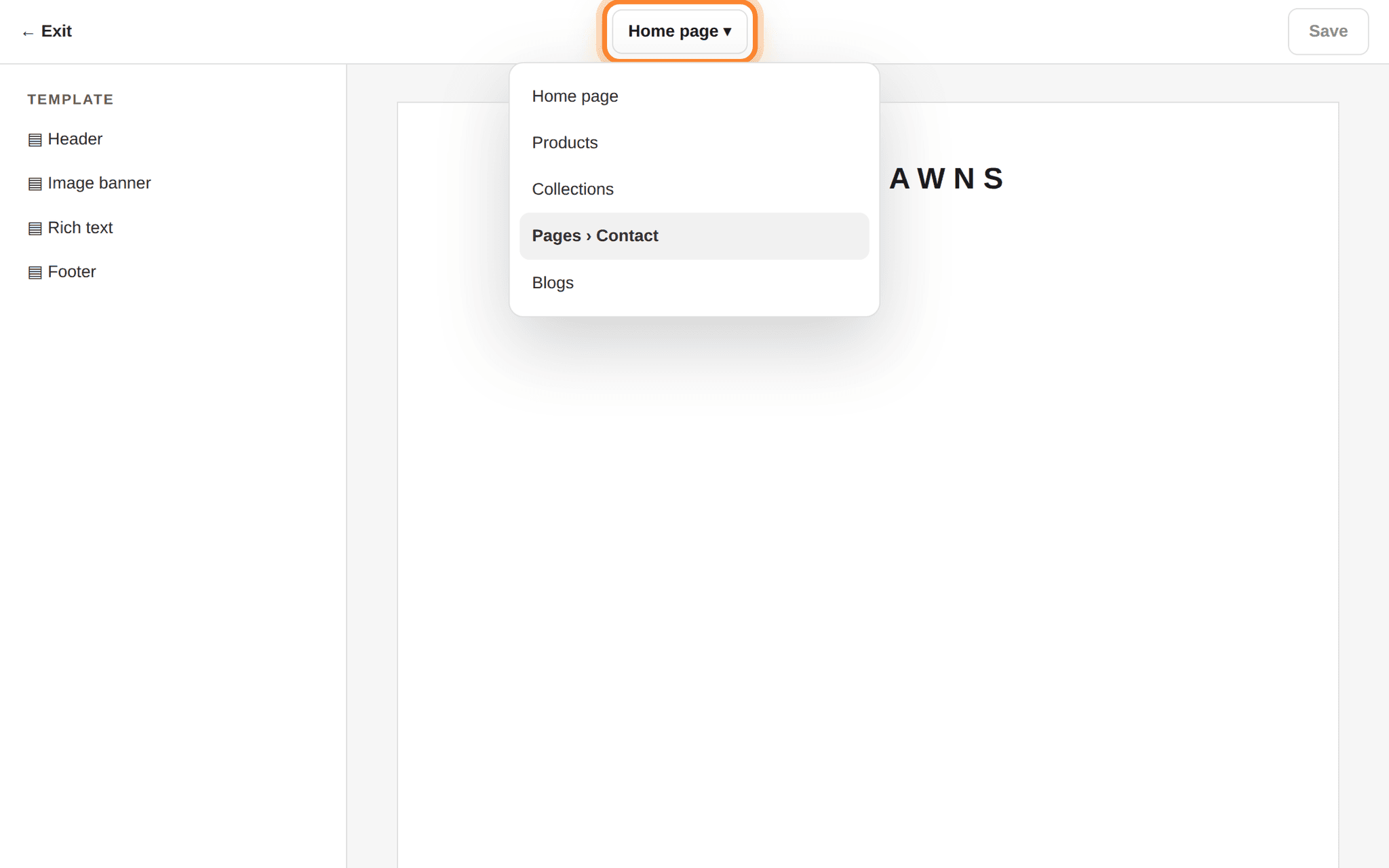
The selector is the middle of the top bar; it opens on Home page every time. Add the section
In the left panel press Add section and choose Custom Liquid. It appears at the bottom of the page. Drag it up the list to where you want it.
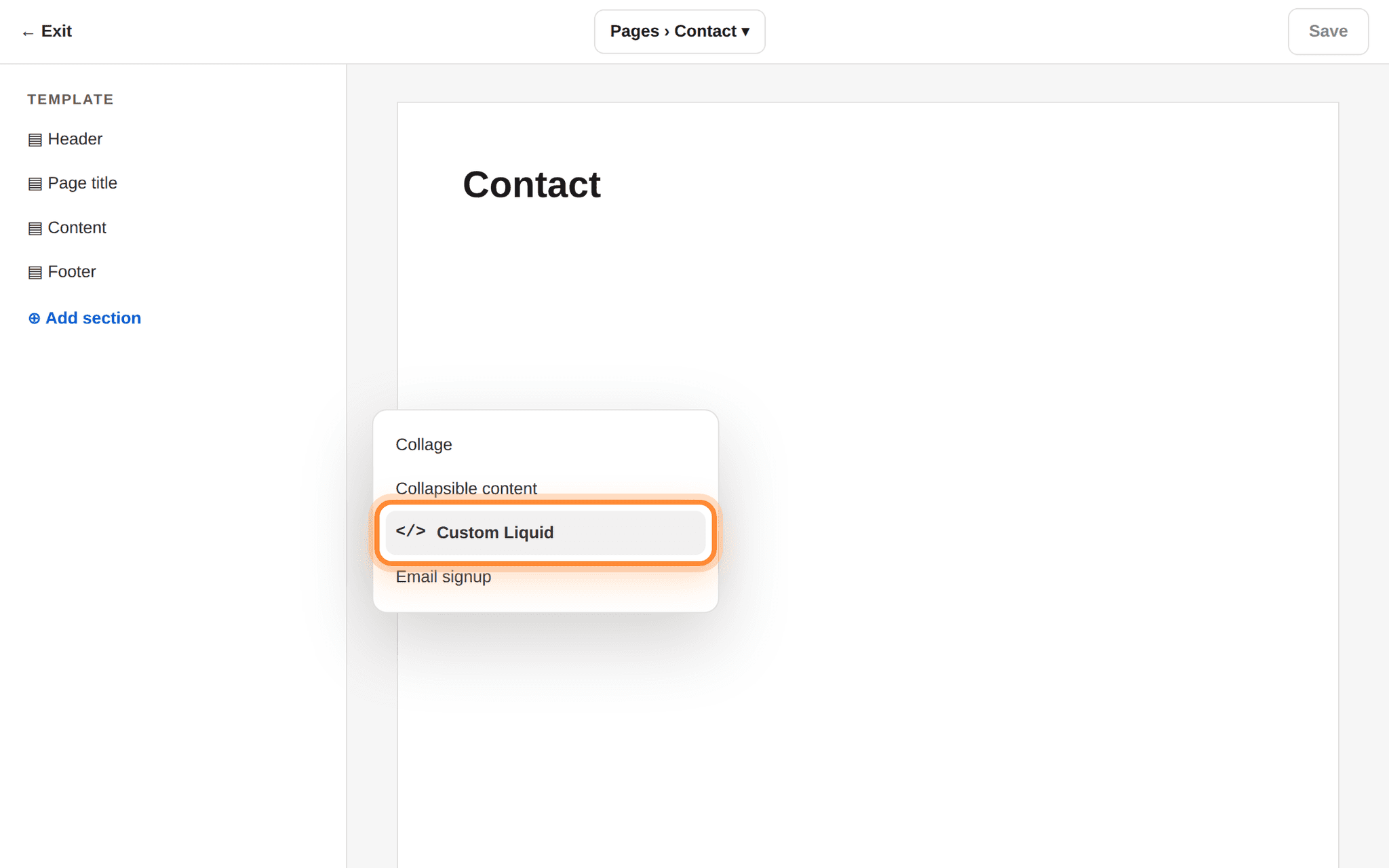
Add section is under the section list on the left; the choices are alphabetical. Paste and save
Paste the snippet into the Liquid code box on the right and press Save. The customizer preview may or may not render it; the live page is the one that counts.
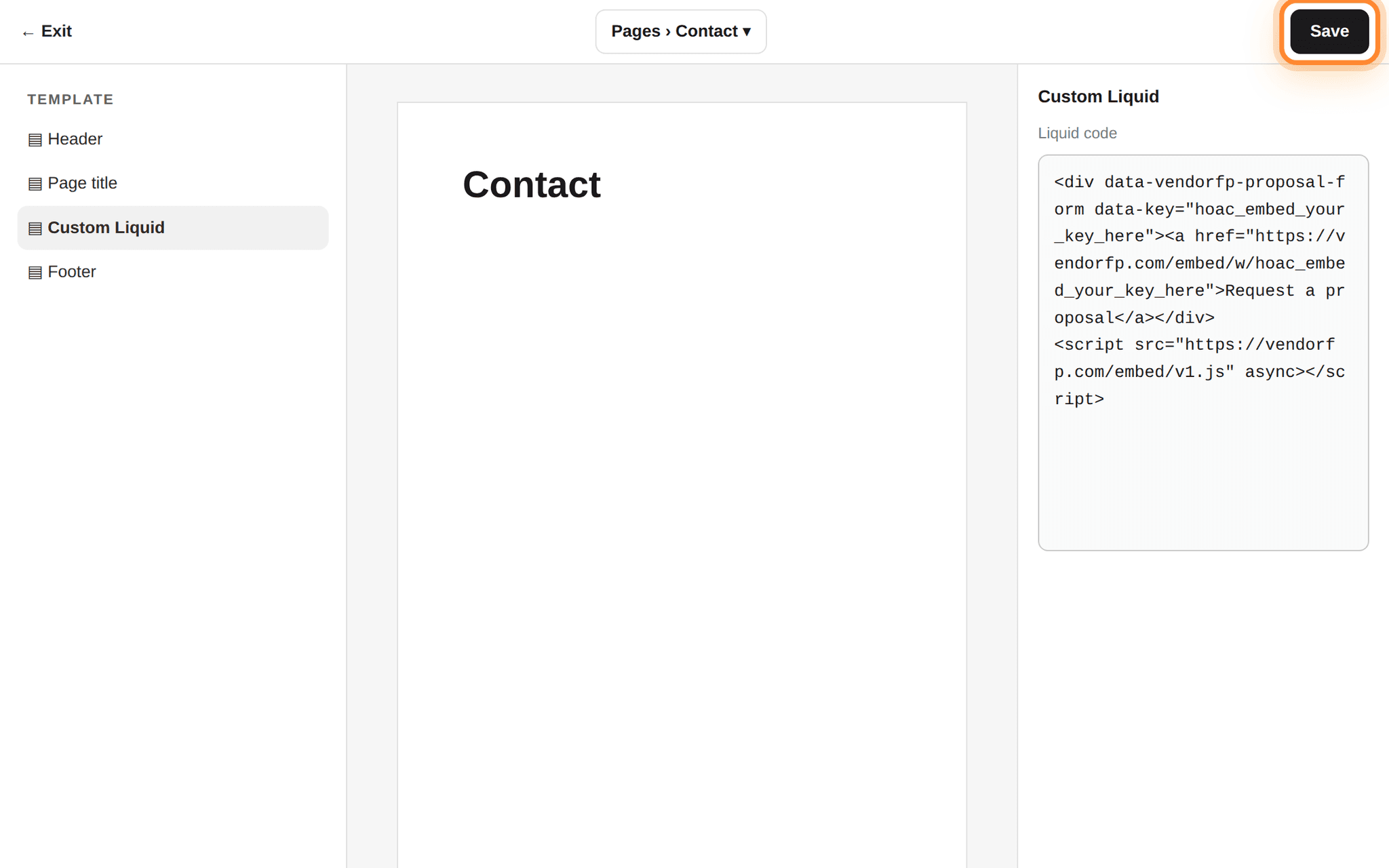
The code box is in the right-hand panel; Save is the top right of the customizer.
Register both spellings of your address.
acme-lawns.com and www.acme-lawns.com are two different places. If your site answers on both, list both on the plugin page. The same goes for http:// against https://. This is the reason behind almost every form that never appears.Which address to register
Every Shopify store has two addresses: the domain you sell under, and a built-in one ending in .myshopify.com. Shopify’s own preview links use the built-in one, so a form that works perfectly on your real domain shows nothing in a preview unless you have listed both.
List your selling domain, with and without www. if both work. Add the .myshopify.com address while you are setting things up if you want previews to work, and remove it afterwards if you would rather keep the list short.
A store still behind its password page
How to tell it worked
- Open the live page on your selling domain, in a normal browser tab.
- The form is there with your company’s name on it. Send a test, taking more than a few seconds over it: a submission completed unusually fast is placed under suspected spam.
- Open Settings → Website plugin in your VendoRFP dashboard. Your test is in the list.
If your store has a security policy
Most websites have no Content-Security-Policy and this section does not apply to them. If yours has one — a security plugin added it, your host sets it, or whoever built the site wrote one — it needs to allow two things from us:
script-src  https://hoacrew.com
frame-src   https://hoacrew.com
The first lets the loader script run. The second lets the form’s frame render. Allow the first and forget the second and you get a blank space where the form should be, with a line in the browser’s Console tab naming frame-src. Nothing else is needed: the form loads no fonts, no analytics and no other company’s code, so there is no third allowance hiding behind these two.
On Shopify a policy usually arrives with an app — security and headers apps are the common source. If the form is missing and the browser’s Console tab names a policy, the app that added it is where the two allowances go. Turning that app off for a moment is the quickest way to confirm it is the one responsible.
Link to the hosted form instead
Every key also has a plain web address that opens the same form as a full page. Put it behind any button, in an email signature, on a Google Business profile, or on a page you cannot add code to.
https://hoacrew.com/embed/w/vrfp_embed_your_key_here
It is the same form, sending to the same place, and requests from it arrive in your dashboard exactly like the ones from the embedded version.
In Shopify that is an ordinary link in any page’s rich-text editor, or a button in a section that offers one. It needs no addresses registered and no Custom Liquid section, because a link opens the form as its own page instead of displaying it inside yours.